
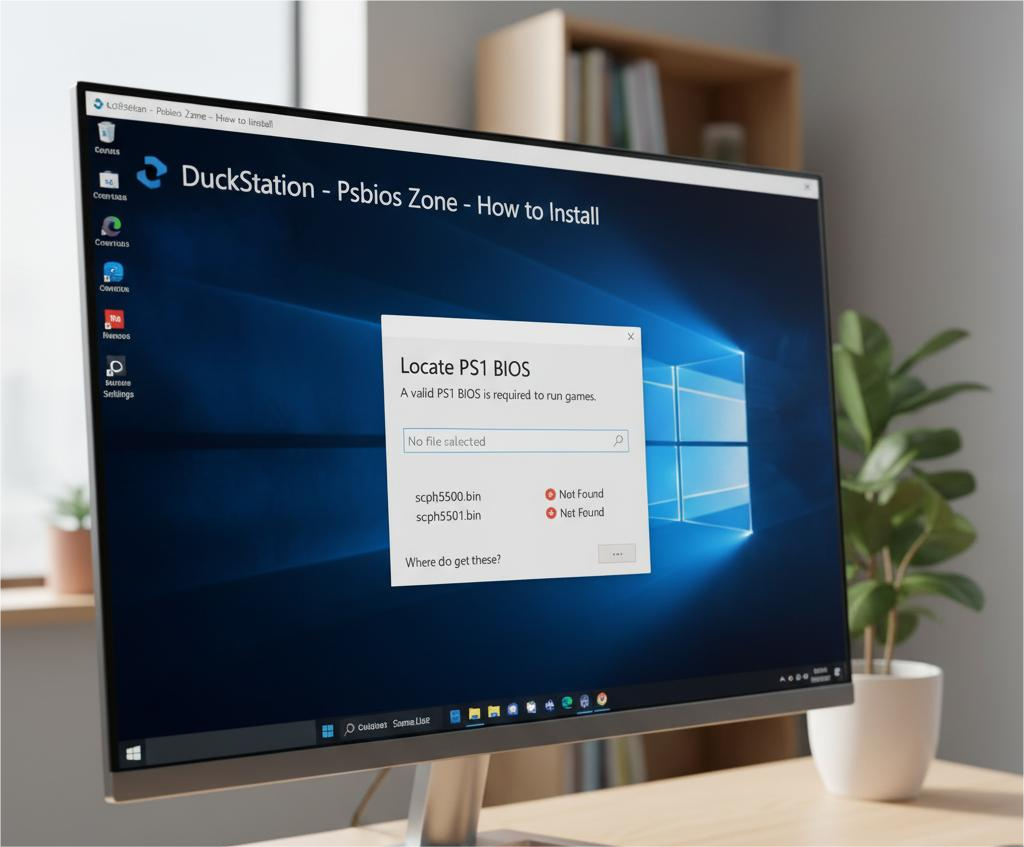
Introduction
When setting up a PlayStation 1 (PS1) emulator, one of the most crucial steps is selecting the correct BIOS file. The BIOS (Basic Input/Output System) is responsible for initializing the console’s hardware, running the startup screen, and ensuring compatibility between the system and your games. However, not all BIOS files are created equal — there are regional differences between the USA and European versions that can affect performance, video quality, and even whether a game will run properly.
In this guide, we’ll explore the PS1 BIOS USA vs Europe differences, how they impact gameplay, and which one is best for your emulator setup. For those who want to download PS1 BIOS files safely, you can visit Psbios Zone for region-specific BIOS versions.
What Is the PS1 BIOS?
The PS1 BIOS is essentially the PlayStation’s built-in firmware that helps the system boot up and communicate with game discs. It manages several vital functions, including:
- Checking the region of the inserted game disc
- Displaying the iconic PlayStation logo and startup screen
- Initializing sound, video, and controller inputs
- Managing the memory card interface and CD player menu
When using an emulator like DuckStation, ePSXe, or RetroArch, having the correct BIOS file is essential for achieving authentic console performance. Without it, you might face issues like missing sounds, incorrect timing, or even games failing to start.
PS1 Region Classifications
Sony divided PlayStation consoles into three main regions, each using a different BIOS configuration:
- NTSC-J (Japan): For Japanese consoles and games
- NTSC-U/C (USA & Canada): For North American consoles and games
- PAL (Europe & Australia): For European and Oceanic consoles and games
The BIOS file names also follow this regional pattern:
- SCPH-1001.bin – USA (NTSC-U)
- SCPH-5501.bin – USA (NTSC-U)
- SCPH-7502.bin – Europe (PAL)
The last digit in the model number determines its region: “1” for USA, “2” for Europe.
Key Differences Between USA and Europe PS1 BIOS
Although the BIOS versions share the same purpose, there are several technical and visual differences between the USA (NTSC-U) and Europe (PAL) BIOS versions.
1. Video Standard and Refresh Rate
- USA BIOS (NTSC-U): Uses the NTSC standard, running at 60Hz, providing smoother gameplay and slightly faster performance.
- Europe BIOS (PAL): Uses the PAL standard, running at 50Hz, resulting in a slower refresh rate and, in some cases, black bars on the top and bottom of the screen.
If you play a PAL game using a USA BIOS, you may experience timing mismatches, audio sync issues, or visual artifacts. Therefore, it’s best to match your BIOS with your game’s region.
2. Region Locking and Compatibility
Each BIOS file contains built-in region locks. The BIOS checks whether a disc is NTSC-U, NTSC-J, or PAL before loading it.
- A USA BIOS will usually reject a PAL disc, and vice versa.
- Some emulators, however, can bypass region checks, allowing you to play games from any region regardless of BIOS type.
Still, for optimal compatibility and fewer bugs, using the correct regional BIOS file is recommended.
3. Language and Interface Differences
- The USA BIOS (e.g., SCPH-1001) has an English-only interface, displaying clear text menus.
- The European BIOS (e.g., SCPH-7502) supports multiple languages, including French, German, and Spanish. It also features minor visual differences in the CD player and memory card menus to suit multilingual audiences.
These variations are minor but add authenticity if you’re emulating the console as it appeared in different regions.
4. Timing and Audio Performance
Due to the PAL system’s 50Hz limitation, games on the European BIOS may run about 17% slower than their NTSC counterparts. This can lead to slower animations, lower pitch audio, and reduced responsiveness.
Conversely, NTSC-U BIOS versions deliver more consistent timing and smoother gameplay, which is why many players prefer them — even when playing PAL titles.
5. Hardware and Console Model Variations
- USA BIOS: Typically found in models like SCPH-1001, SCPH-5501, SCPH-7001.
- Europe BIOS: Found in models like SCPH-1002, SCPH-7502, SCPH-9002.
Each BIOS revision introduced minor updates for bug fixes and performance optimization, but regional differences in power supply (110V for USA, 220V for Europe) also influenced BIOS design.
Which BIOS Should You Choose?
The answer depends on what games you intend to play:
- If your game collection is mostly American (NTSC-U): Use a USA BIOS such as SCPH-1001.bin.
- If you play European (PAL) games: Go with the European BIOS like SCPH-7502.bin.
- If you use games from both regions: Keep both BIOS files in your emulator’s BIOS folder. Most emulators let you switch between them easily.
This setup ensures optimal compatibility and authentic performance no matter the region of your games.
Legal Considerations
It’s important to understand that the PS1 BIOS is copyrighted software owned by Sony. Downloading it from unofficial websites may violate copyright laws in your country.
The only legal way to obtain a BIOS file is to dump it from your own PS1 console using special software. However, many users still choose to download BIOS files online for convenience.
If you choose to download, make sure you do it from a trusted and safe source. Psbios Zone provides a wide collection of region-specific PS1 BIOS files that you can explore — always ensuring you follow local laws before use.
Final Thoughts
The difference between PS1 BIOS USA vs Europe may seem small, but it can significantly impact your emulation experience. The USA BIOS provides faster refresh rates and smoother performance, while the European BIOS ensures authentic gameplay for PAL-region titles.
To get the best of both worlds, keep multiple BIOS versions in your emulator folder and select the one that matches your game’s origin.
If you need a reliable source to get started, visit Psbios Zone to download PS1 BIOS files for the USA, Europe, and Japan regions. Always prioritize legality, compatibility, and performance for the most authentic PlayStation experience possible.