
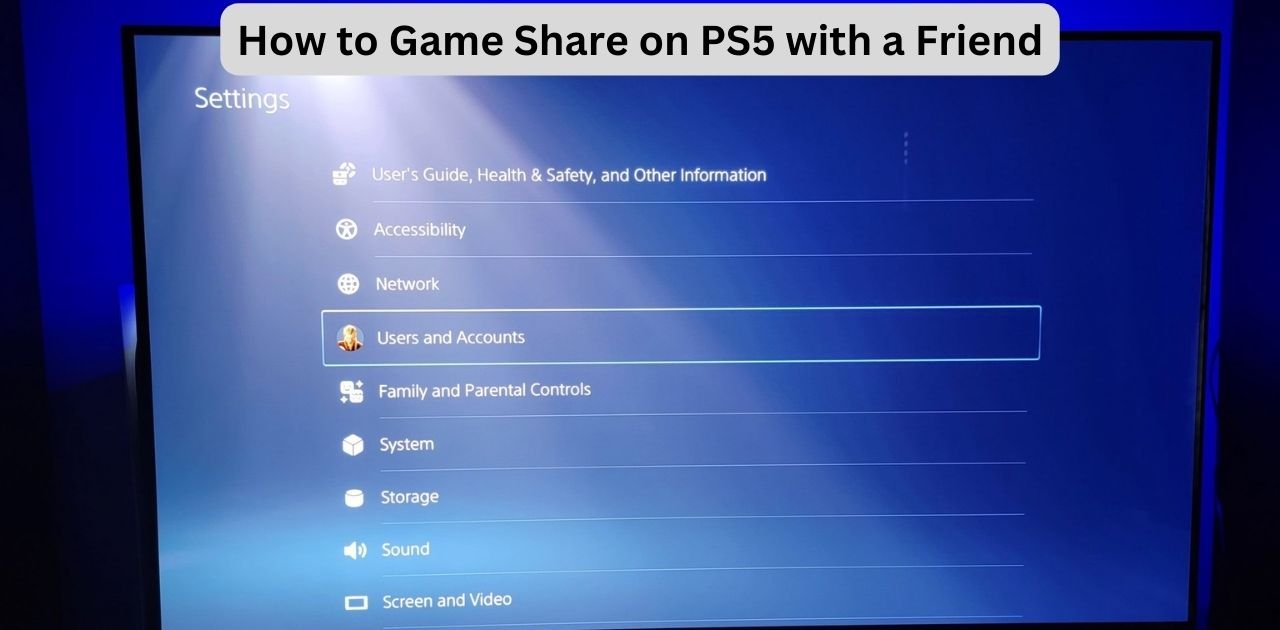
Game sharing on the PlayStation 5 is a powerful feature that lets you and a trusted friend enjoy each other’s digital libraries. This guide covers both methods — Console Sharing & Offline Play and Share Play — plus tips to keep your account safe.
Two Ways to Game Share on PS5
1. Console Sharing & Offline Play — Assign one PS5 as the “primary” console for your account. Anyone logged into that console can access your digital games, even offline.
2. Share Play — Stream your game session for up to 60 minutes at a time, letting a friend watch or even take control remotely.
Method A — Enable Console Sharing & Offline Play
- Sign into your PSN account on your friend’s PS5.
- Go to Settings > Users and Accounts > Other > Console Sharing and Offline Play.
- Select Enable.
- Sign out — your friend can now access your games.
Method B — Use Share Play
- Start a party chat with your friend.
- Launch the game you want to share.
- On the party screen, choose Share Screen > Start Share Play.
- Invite your friend and choose:
- Visitor plays as you — they take control.
- Play together — enjoy multiplayer with one copy of the game.
Troubleshooting Common Issues
Console Sharing not working
Disable sharing on other consoles if your account is already active elsewhere.
Share Play lagging
Use wired internet and close other apps for a smoother connection.
Games not visible
Ensure Console Sharing is enabled and that the games are fully installed.
How to Revoke Access
- On your own PS5, go to Settings > Users and Accounts > Other > Console Sharing and Offline Play.
- Select Disable.
- Change your PSN password if you suspect misuse.
Best Practices for Safe Game Sharing
- Only share with trusted friends or family.
- Sign out after setting up Console Sharing.
- Enable two-factor authentication on your PSN account.
- Monitor your purchase history regularly.
FAQ
Q: Can I game share with multiple people?
A: No, your account can only have one active shared console at a time.
Q: Do trophies and save data transfer?
A: No, trophies remain linked to each user’s PSN account. Save data may be local or cloud-based with PS Plus.